> ## Documentation Index
> Fetch the complete documentation index at: https://docs.userogue.com/llms.txt
> Use this file to discover all available pages before exploring further.
# Sign Up
> Get started with Rogue
From the UseRogue.com landing page, select "sign up".
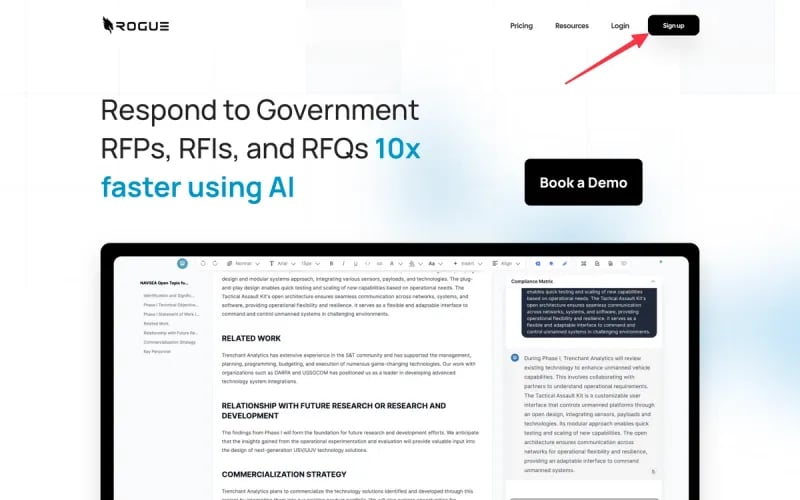 If you have an account, you can sign in using email, or with LinkedIn single sign-on.
If you don't have an account yet, selected the "sign up" link below the sign in menu.
{" "}
If you have an account, you can sign in using email, or with LinkedIn single sign-on.
If you don't have an account yet, selected the "sign up" link below the sign in menu.
{" "}
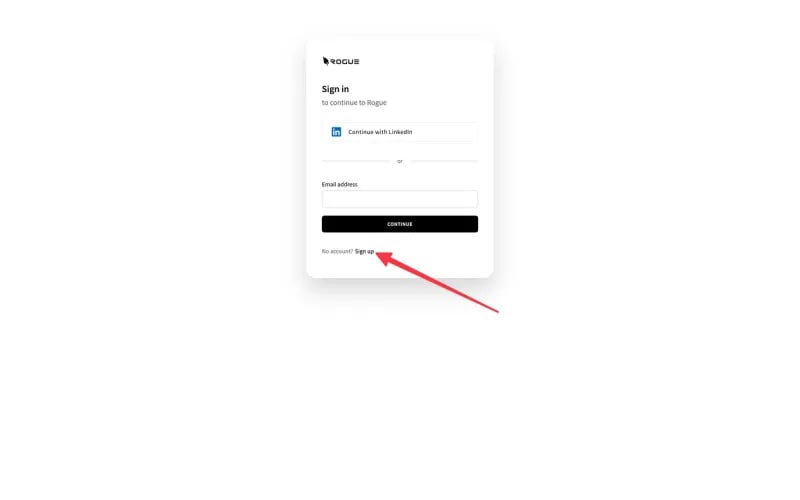 You can then register with email and password, or with LinkedIn.
Important note: if you sign up with LinkedIn, the email account associated
with your LinkedIn will be associated with UseRogue.com. If your LinkedIn
email is different from your corporate email then we suggest using your
corporate email.
Once you sign up you will receive a payment link and an invitation to book an onboarding call. We **strongly** encourage you to book an onboarding call, the UseRogue platform has an extensive set of features, a 30 minute call can save you hours of learning them through exploration.
{" "}
You can then register with email and password, or with LinkedIn.
Important note: if you sign up with LinkedIn, the email account associated
with your LinkedIn will be associated with UseRogue.com. If your LinkedIn
email is different from your corporate email then we suggest using your
corporate email.
Once you sign up you will receive a payment link and an invitation to book an onboarding call. We **strongly** encourage you to book an onboarding call, the UseRogue platform has an extensive set of features, a 30 minute call can save you hours of learning them through exploration.
{" "}