> ## Documentation Index
> Fetch the complete documentation index at: https://docs.userogue.com/llms.txt
> Use this file to discover all available pages before exploring further.
# Updating Your Organization Name
> Guide to updating your organization's name
This guide will walk you through the process of updating your organization's name in UseRogue.
The organization name is your company's nickname in UseRogue. This name will be visible to all members of your organization and is how Rogue refers to your company in proposals.
## Steps to Update Your Organization Name
1. Navigate to your organization
2. Click on "Settings" in the navigation menu
3. Locate and update your company name (nickname)
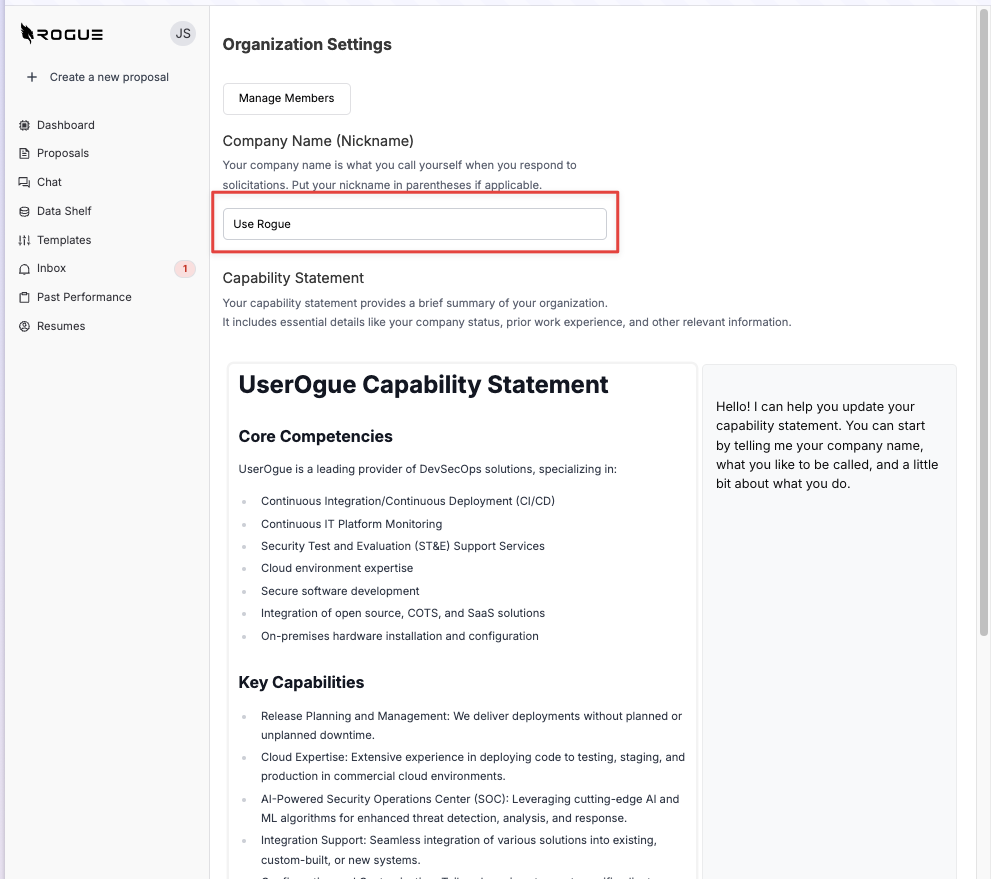 Your organization's name will be updated immediately across all UseRogue interfaces. All members of your organization will see this change reflected in their view.